


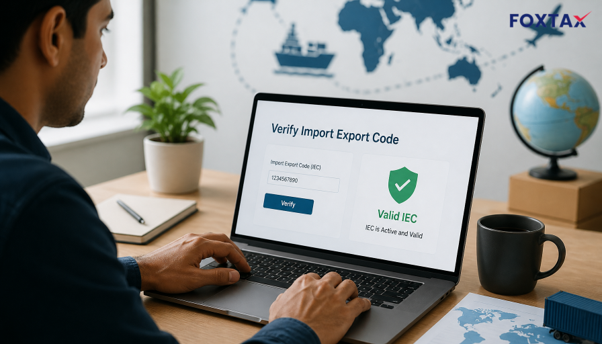
All Indian importers and exporters operate under the 10-digit Import Export Code provided by DGFT (Directorate General of Foreign Trade) under the Ministry of Commerce and Industry. Before you transfer money to a new vendor, raise shipping bills, or add buyers on board, an IEC code check verifies whether the company before you is genuinely eligible to do trade.
This post explains the official avenues for an IEC code check, what the fields on the result screen indicate, and the common points of failure to watch for.
What Does an IEC Code Check Actually Confirm?
An IEC code check confirms three things at once: that your supposed IEC code exists in DGFT’s database; that it is actually for the firm name you are quoting; and that it is currently valid (i.e., not deactivated).
There are no login, password, or DSC requirements for this search, so anyone can look up anyone. The “View Any IEC” page on the DGFT Common Portal asks for your IEC, plus three or more characters of the firm name—done to regulate bulk harvesting of the IEC database—and a captcha code. This is the same public record that is created when you complete Import Export Code registration with DGFT, so the details should match the certificate exactly.
How to Check IEC Code Validity Online on DGFT
- Open the DGFT portal and find the tile. Go to dgft.gov.in, open the Common Portal, and navigate to “View IEC Related Details” through the Services menu, or go directly to the “View Any IEC” tile. Both lead to the same public enquiry form.
- Enter the IEC and the firm name prefix. Enter the 10-character IEC exactly as printed on the certificate, and at least three characters of the registered firm name. Use the spelling as mentioned by DGFT, not the one given in the invoice.
- Complete the captcha and click submit. The captcha is a security feature to prevent spamming. Instead of re-entering the IEC again and again, refresh the page, as this is where most people tend to go wrong.
- Review the returned record. Client name, IEC number, issuing branch or regional authority, and status flag all show on screen. An active or valid flag indicates the code is live on the date you verify.
IEC Verification Online: DGFT Portal vs ICEGATE
There are two approved pathways to verify IEC online in India, and they answer different questions:
- DGFT portal: This is what the licence record says, as the record is maintained by the issuing authority.
- ICEGATE: This is the customs electronic gateway, and its IEC Status Enquiry displays the customs-side view of the importer or exporter.
For routine IEC online verification in India, DGFT is the primary check, while ICEGATE is a useful corroboration before you file documents.
View IEC on ICEGATE
On ICEGATE, go to IEC Status Enquiry, enter the IEC code, click submit, and read the status received. It takes less than a minute and no login is required. Think of it as a second opinion: if both portals differ, the DGFT entry is the definitive one, and the difference typically indicates that a profile update has yet to take effect.
IEC Code Search by Name and by PAN
There are two types of this lookup that almost entirely make “searching for an IEC” confusing:
IEC Lookup by Name
It is not a full match; the IEC code is the primary key. The name is basically there as a confirmation. You cannot browse the DGFT database using just your company name.
IEC Lookup by PAN
It is not a publicly viewable lookup at all. The PAN-to-IEC link is only available in the protected IEC Profile Management section.
Is There Any Validity for the IEC Code?
There is no regular expiry date on an IEC; it remains valid for the lifetime of the company. What you do need to do, though, is update the IEC each year on the DGFT portal, generally in the April to June period as announced by DGFT every year.
If the updates are missed, the IEC code may appear deactivated on the DGFT website. That is why an IEC that said “Valid” last year may produce a negative signal this year.
How Can I View Any IEC Certificate on DGFT?
Viewing details and viewing a certificate are different actions. The public “View Any IEC” option brings only basic information, including the firm name, address, IEC number, date of issue, and branch details.
Accessing or downloading the actual certificate calls for logging in and is done through IEC Profile Management. Recent certificates include a unique QR code, which can be scanned to quickly verify a physical or emailed copy against the DGFT record.
Final Checklist for IEC Code Verification
- Only check on dgft.gov.in; the “View Any IEC” tile of the Common Portal is the basic source, and no third-party site should be used.
- Ensure the firm name matches. Do not just check the status, because an active IEC assigned to another business is worse than an inoperative IEC.
- Make certain the DGFT IEC status check returns an active or valid flag, not “deactivated.”
- Check on ICEGATE before making a payment or shipment of value.
- In case of a negative status, request that the vendor update annually and share the latest data.
The IEC code check is free and takes just two minutes—but it can reveal a real supplier from an injected code. Where your certificates are a pain, Foxtax’s compliance team will help with IEC registration, annual renewal, and reactivation, plus the GST and company registration work that sits beside it, so your trading credentials are always up to date and off your desk at the end of the year.
Frequently Asked Questions
How many days for IEC code?
Once the application’s PAN info, bank proof, and e-sign or DSC are provided, it takes around a day or two for DGFT to create the e-IEC. Most delays are caused by documents not matching, rather than by any processing time.
Can I verify an IEC without the holder’s consent?
Yes. “View Any IEC” is a public facility that can be accessed by any individual or business using the IEC number and the first three alphabets of the firm name, which is the same method importers use to preliminarily identify new suppliers.
Is an IEC the same as a GST number?
No. IEC is a trade licence issued by DGFT and GST is a registration for tax. While most exporters have both, a valid IEC does not give any clue about whether you are registered under GST; check them separately. You can learn more about GST registration if you are setting up compliance for a trading business.